Free Download Available

Br7772 Download – Install the App on Android or iPhone and Play Wherever You Are

The br7772 app brings the full casino and sports betting experience to your phone screen. Free download, installation in minutes, compatible with Android and iOS.

Android 6.0+ iOS 13+ 45 MB Free download
br7772

Choose the br7772 App Version for Your Device

The br7772 app is available for Android and iPhone, with a simple installation and an experience fully adapted for mobile screens.

🤖
br7772 for Android
Direct APK, easy installation and compatible with most Android phones in Brazil.
Latest version · Android 6.0+
  • File size: approx. 45 MB
  • Compatible with Android 6.0 or higher
  • Verified and secure APK
  • Automatic updates through the app
  • Push notifications for promotions and games
  • Interface 100% in Brazilian Portuguese
Download Android APK
🍎
br7772 for iPhone
Access via Safari with a shortcut on the home screen. Native and smooth experience on iPhone and iPad.
iOS 13+ · iPhone and iPad
  • Compatible with iOS 13 or higher
  • Works directly through Safari
  • Add to home screen as a native app
  • Always updated automatically
  • Face ID and Touch ID protection available
  • Interface 100% in Brazilian Portuguese
Access on iPhone
45 MB
Android APK Size
2 min
Average installation time
4.7★
Average user rating
100%
Free to download

br7772

How to Download and Install the br7772 App on Android

The process is simple and takes less than two minutes. Follow the steps below to get the br7772 app running on your Android phone.

1
Go to the download page

Open your Android browser and go to the br7772 website. Tap the "Download Android APK" button on this page. The APK file download will start automatically.

2
Allow installation from unknown sources

Since the APK comes directly from the website and not from the Play Store, Android will ask you to enable installation from external sources. Go to Settings > Security > Unknown sources and enable it for your browser. This is a standard step for any APK from external websites.

3
Open the downloaded APK file

Go to your phone's downloads folder (or tap the completed download notification) and tap the br7772 APK file to start the installation.

4
Complete the installation

Tap "Install" on the confirmation screen. Within a few seconds the app will be installed and a br7772 icon will appear on your home screen.

5
Log in to your account or register

Open the app, log in with your credentials or create a new account for free. Within seconds you have access to all games, betting and deposits via Pix.

If the message "App blocked by Play Protect" appears, tap "More details" and then "Install anyway". This is normal for external APKs and does not indicate any security issue with the br7772 file.

Requirements for Android
  • Operating system: Android 6.0 (Marshmallow) or higher
  • Free space: minimum 100 MB recommended
  • RAM: 2 GB or more for best performance
  • Connection: Wi-Fi or 4G/5G mobile data
  • Permission to install apps from external sources

How to Use the br7772 App on iPhone Without the App Store

On iOS, the br7772 app is accessed through Safari with a shortcut saved to the home screen — no need to download anything from the App Store. The experience is identical to a native app.

Apple has a restrictive policy regarding betting apps on the Brazilian App Store, so the br7772 adopts an elegant solution for iPhone users: the Progressive Web App (PWA). Here's how it works — you open the br7772 through Safari, adds it to the home screen, and the shortcut behaves exactly like an installed app. It opens full screen, with no address bar, a custom icon, and fast loading.

The difference from an app downloaded via the App Store is practically unnoticeable in daily use. Live Casino, slots, sports betting and Pix deposits all work normally through Safari on iPhone. The interface of the br7772 is fully responsive and optimized for iPhone screens — large buttons, an optimized vertical layout, and smooth touch navigation.

Step by Step for iPhone
1
Open Safari

Use Safari exclusively — other browsers on iOS do not support the add-to-home-screen function with a custom icon.

2
Go to br7772.net

Type the website address in the navigation bar and wait for the page to fully load.

3
Tap the share icon

In the Safari bottom bar, tap the share icon (square with an arrow pointing up).

4
Select "Add to Home Screen"

Scroll through the options menu and tap "Add to Home Screen". Confirm the name and tap "Add".

5
Done — access through the created icon

The br7772 icon will appear on your home screen. From now on, just tap it to open the app in full screen like any other app.

Requirements for iPhone and iPad
  • iOS 13 or higher (iPhone 6s and newer models)
  • Updated Safari browser (pre-installed on iPhone)
  • No download needed — direct access through the browser
  • Compatible with iPad (iPadOS 13+)
  • Wi-Fi or mobile data connection

For Live Casino on iPhone, we recommend a stable Wi-Fi connection or 4G/5G with at least 10 Mbps to ensure smooth video. Safari on iOS supports high-quality video playback without requiring any plugins.


br7772

What You Can Do in the br7772 App

The br7772 app is not a stripped-down version of the website — it is the complete experience in the palm of your hand. See what is available on mobile.

Live Sports Betting

Follow and bet on matches in real time with live updated odds. Football, basketball, tennis and much more directly from your phone.

Live Casino

Roulette, blackjack and baccarat with real dealers streamed in HD. The br7772 app automatically optimizes stream quality for your connection.

Slots and Casino Games

Over 500 slots available in the app with full graphics, animations and progressive jackpots. The same selection as the website, optimized for touch.

Deposit via Pix

Deposit with Pix directly through the app. Generate the QR Code, pay through your bank and the balance appears in your account within seconds so you can start playing.

Promotion Notifications

Receive real-time alerts about promotions, bonuses and special events from br7772 directly on your phone, without needing to visit the website.

History and Reports

Access your full history of bets, withdrawals and deposits. Track your results and manage your balance with complete transparency through the app.


Br7772 App vs Browser Access on Desktop

Understand the differences between using the app on your phone and accessing via browser on PC. Both options work well — each has its advantages.

Feature Mobile App (Android/iOS) Browser on PC
Quick access from the home screen Yes — icon on screen Requires opening a browser
Live Casino Fully supported Fully supported
Slots and casino games 500+ games available 500+ games available
Deposit via Pix Native QR Code in the app QR Code on screen
Push notifications Yes — promotional alerts Not available
Use without constant internet Partial cache available Requires an active connection
Ease of use on the go Touch-optimized Requires mouse and keyboard
Large screen for multitasking Limited by size Clear advantage

br7772

Why the br7772 App Is Different from Others in Brazil

Understand what makes the br7772 app a solid choice for those who enjoy betting and playing casino on mobile.

Anyone who has tried using casino or betting apps on their phone knows the experience usually disappoints: slow screens, broken layouts, buttons too small to tap and games that simply do not load properly. The br7772 br7772 was built with a different approach — the mobile app is not an adaptation of the desktop site, but rather the main product, developed from the ground up to work great on phone screens.

This is evident in several everyday details. When you open the Live Casino in the br7772 app, br7772, the betting buttons are positioned at the bottom of the screen — exactly where your thumb reaches naturally. The dealer video occupies the top section. The table result history appears in a side scrolling bar. No important element is hidden behind another or requires zooming to read.

In slots, the experience is equally optimized. The reels fill the screen at the correct ratio, animations run smoothly even on mid-range phones, and the spin and bet adjustment buttons are large enough to tap without missing. For users of the br7772 app, br7772 on the subway or waiting somewhere, this makes a real difference in comfort of use.

The Pix integration in the app is another highlight worth mentioning. While some sites require you to leave the platform to copy the Pix key and open your banking app, the br7772 br7772 generates a QR Code directly on the app's deposit screen. You open your banking app, scan it, confirm, and the balance immediately appears in your account ready to play — all without leaving your phone screen.

Push notifications are a feature many players underestimate until they start using them. When the br7772 launches a new promotion, a slots tournament, or a cashback offer, you receive a notification directly on your phone — no need to open the site to stay updated. This ensures you never miss an opportunity because you didn't check the app at the right moment.

Security in the br7772 app br7772 follows the same standards as browser access. All communication is SSL-encrypted, login can be protected by a password, and on iPhone it supports Face ID and Touch ID for faster and more secure authentication. Your financial data and personal information are protected across all sessions, regardless of how you access it.

Another positive aspect is the app's stability. Updates are released regularly to fix any issues and add new games and features. On Android, the app itself notifies you when a newer version is available for download. On iPhone, since access is through Safari, you are always using the most up-to-date version automatically with no action needed.

For an ideal Live Casino experience in the br7772 app, br7772, we recommend a connection of at least 10 Mbps. On slower connections, the app automatically adjusts the video stream quality to keep things smooth without interruptions.

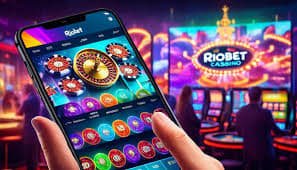
br7772 App Highlights
  • Interface built mobile-first, not adapted
  • Pix deposit with native QR Code — without leaving the app
  • Live Casino with adaptive HD video
  • Push notifications for promotions and bonuses
  • Face ID and Touch ID support on iPhone
  • Automatic updates without manual reinstallation
  • 100% in Brazilian Portuguese — no machine translation
App Security

All communication between the br7772 app and the servers is protected by SSL encryption. Your login details, CPF, and payment information never travel unprotected. The app does not store passwords locally — each session is securely authenticated by the server.


Frequently Asked Questions about the br7772 App Download

We have compiled the most common questions from users installing the br7772 app for the first time.

Yes, downloading and installing the br7772 app is completely free, for both Android and iOS. There are no fees to download the APK on Android or to add the shortcut to the home screen on iPhone. The app itself charges nothing to run — the only costs involved are those of the bets and games you choose to play within the platform.

Yes. The APK provided directly from the br7772 website is the official, verified, and safe file. The Android warning about "unknown sources" or "Play Protect" appears automatically for any APK installed outside the Play Store — it does not mean the file has any issue. To ensure you are downloading the correct file, always access the download directly from the official br7772 website.

Google Play Store and Apple App Store policies in Brazil impose restrictions on real-money betting apps. That is why many platforms in this industry distribute their apps directly through their official website. On Android, you download the APK and install it normally. On iPhone, access is made through Safari with a shortcut saved to the home screen that works like a native app. Neither method compromises security or the quality of the experience.

Battery and data usage depends mainly on the type of game. Slots and sports betting use very little — they are lightweight and work well even on slower 3G connections. Live Casino with real dealers is more demanding because it streams live video, which uses more data (around 300–500 MB per hour at standard quality) and a bit more battery. For long Live Casino sessions, we recommend Wi-Fi and keeping your phone plugged in.

Yes. Your br7772 account is a single account that works across all devices. You can log in through the mobile app, tablet, and desktop browser using the same credentials. Your balance, betting history, bonuses, and settings are automatically synced in real time across all access points. There is no need to create separate accounts for each device.

The br7772 app on Android notifies you when a newer version is available. When you receive that notification, simply go to the br7772 website download page, download the new APK and install it over the current version — without losing your data, history or balance. On iPhone, since access is through Safari, you always use the most current version automatically, with no action required on your part.

Yes. The br7772 app was developed to run well on a wide range of devices, including mid-range phones with Android 6.0 and 2 GB of RAM. Slots and sports betting run smoothly on most devices. For the Live Casino, phones with less than 2 GB of RAM may experience slow video loading — in those cases, reducing the stream quality in the app settings usually resolves the issue.

Download the br7772 App and Play Anywhere

Free download for Android and iOS. Live Casino, slots, sports betting and Pix deposits in the palm of your hand. Create your account and get started in minutes.

Platform for users 18 and over. Play responsibly. Responsible Gaming

Português (Brasil)